

Vector versus Jpeg
May 5, 2023 by Mallory Lynn
Item 1 of 1
If we ask you to send us your artwork, we may specifically request your vector files (.eps, .ai, and sometimes .pdf). Many of our customers do not know the difference between vector files and image files. So we have put together this blog to help you understand the difference.
What is Vector Artwork?
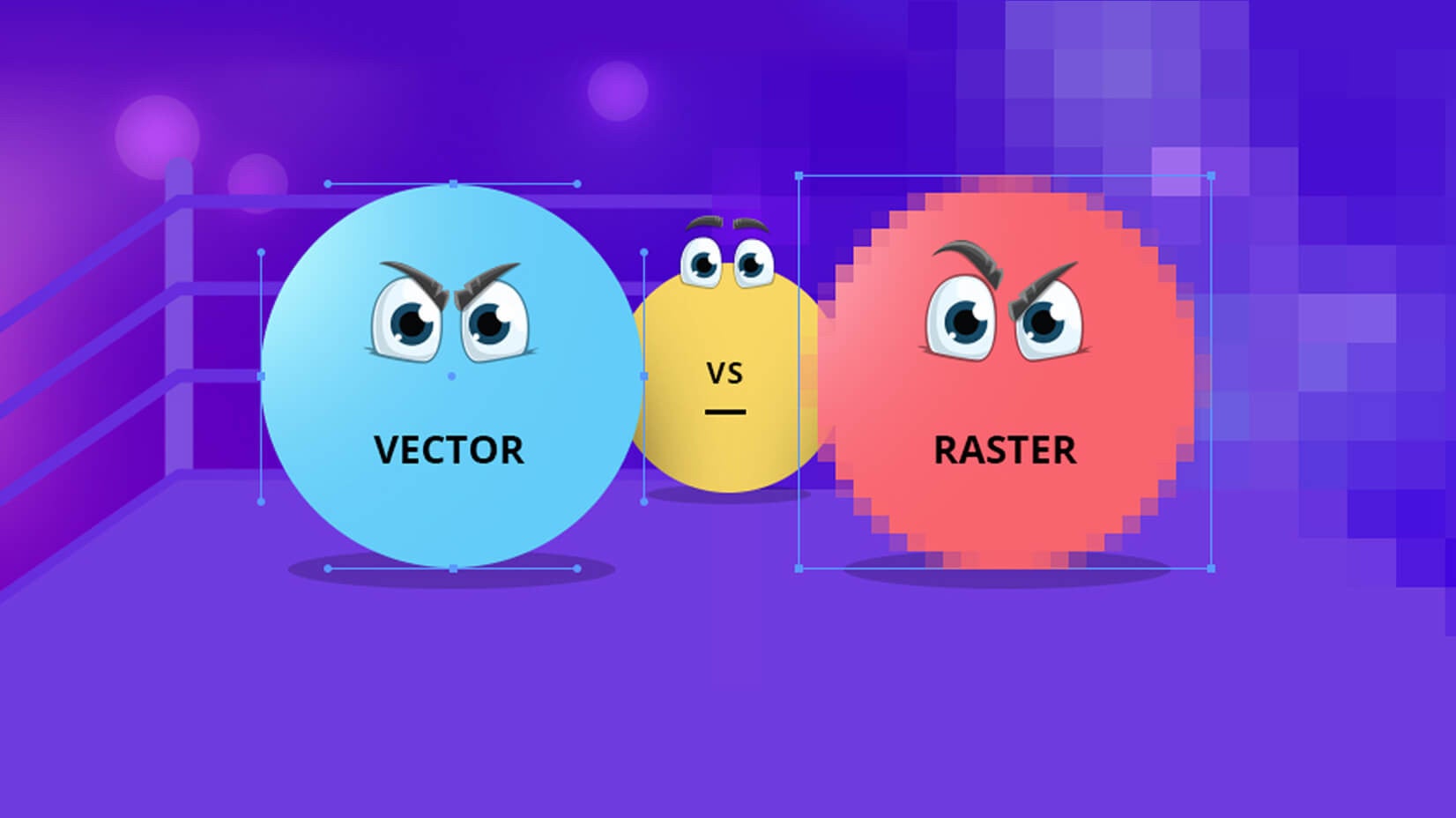
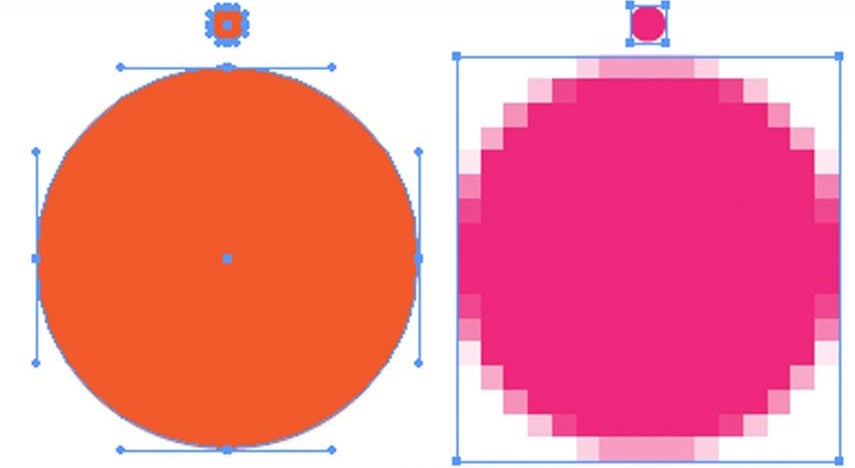
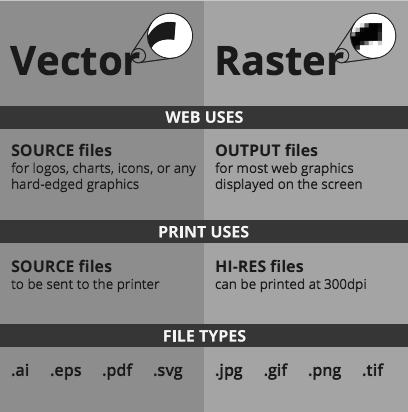
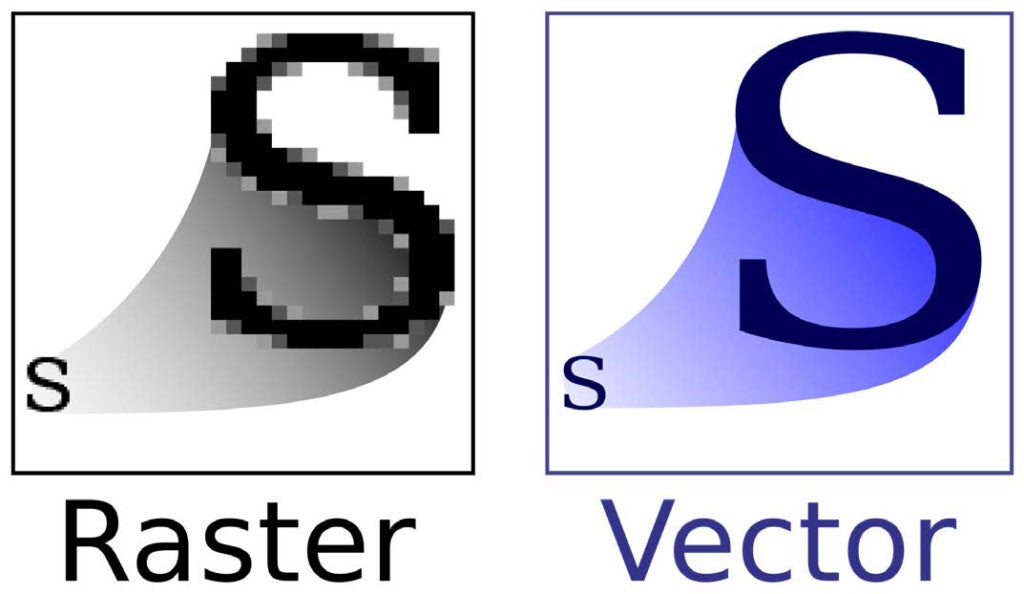
Unlike JPEGs, GIFs, and BMPs (also known as rasters images), vector graphics are not made up of a grid of pixels. Instead, vector graphics are comprised of paths, which are defined by a start and end point, along with other points, curves, and angles along the way. A path can be a line, a square, a triangle, or a curvy shape. These paths can be used to create simple drawings or complex diagrams. Because vector-based images are not made up of a specific number of dots, they can be scaled to a larger size and not lose any image quality. If you blow up a JPEGs, GIFs, or BMP graphic, it will look blocky, or “pixelated.”
 When do I use a vector over a raster (jpeg) image?
Raster Images are often called bitmap images because they are made of millions of tiny squares, called pixels. Almost all of the images you find on websites are raster images, even those that may have originally been created with paths. You can identify a raster or bitmap image by looking at it very closely. If you zoom in enough, you will be able to see the square outlines of each pixel (especially around edges where there are dramatic color contrasts). It can be very difficult to resize raster images and maintain high quality. When using raster images you have to make the raster image true to size (ex: if you are printing a 2-foot by 2-foot banner your image needs to be created at a 2-foot by 2-foot size to maintain quality). Vector Graphics are best used for logos and illustrations. This holds true because vector graphics can be resized to any size while maintaining quality. Consider creating a vector image library for your files and saving copies for raster-based work to save you time during the life of a project.
When do I use a vector over a raster (jpeg) image?
Raster Images are often called bitmap images because they are made of millions of tiny squares, called pixels. Almost all of the images you find on websites are raster images, even those that may have originally been created with paths. You can identify a raster or bitmap image by looking at it very closely. If you zoom in enough, you will be able to see the square outlines of each pixel (especially around edges where there are dramatic color contrasts). It can be very difficult to resize raster images and maintain high quality. When using raster images you have to make the raster image true to size (ex: if you are printing a 2-foot by 2-foot banner your image needs to be created at a 2-foot by 2-foot size to maintain quality). Vector Graphics are best used for logos and illustrations. This holds true because vector graphics can be resized to any size while maintaining quality. Consider creating a vector image library for your files and saving copies for raster-based work to save you time during the life of a project.
 What if I don’t have access to a vector graphic file?
Well, you are in luck! At Signarama Brighton we offer vectorization services for all graphics. For an additional fee (usually ranging from $50-$100 for logo files) we can have your raster image vectorized. In doing so, we then provide you with all the file formats you could need for your logo moving forward. We then keep all this artwork on file in your customer art folder so we may be able to provide you with any file format in the future. Please reach out to your Customer Service Rep to receive a fully comprehensive quote on vectorizing your artwork as more intricate artwork may not fall within our usual pricing.
What if I don’t have access to a vector graphic file?
Well, you are in luck! At Signarama Brighton we offer vectorization services for all graphics. For an additional fee (usually ranging from $50-$100 for logo files) we can have your raster image vectorized. In doing so, we then provide you with all the file formats you could need for your logo moving forward. We then keep all this artwork on file in your customer art folder so we may be able to provide you with any file format in the future. Please reach out to your Customer Service Rep to receive a fully comprehensive quote on vectorizing your artwork as more intricate artwork may not fall within our usual pricing.
 Quick Summary:
Vector vs. Raster—Why File Type Matters
When it comes to professional signage, not all image files are created equal. Understanding the difference between vector graphics and raster (pixel-based) images is the key to ensuring your signs look sharp rather than blurry or "pixelated" once they are printed at a large scale.
Key Comparisons for Business Owners:
-What is a Vector? Unlike standard photos, vectors are made of mathematical paths. This allows them to be scaled from a business card to a 30-foot building sign without losing any quality. Common formats include .AI, .EPS, and .PDF.
-What is a Raster? These are "bitmap" images (like JPGs and PNGs) made of millions of tiny square pixels. When enlarged, these pixels stretch, resulting in a blocky, unprofessional look.
-When to Use Which:
Use vectors for logos and illustrations to ensure versatility. Use raster images only for photographs, and even then, they must be created "true to size" to maintain clarity.
-Building Your Brand Library:
We recommend keeping a dedicated vector library of your logo. This saves you time and money on every future marketing project.
Quick Summary:
Vector vs. Raster—Why File Type Matters
When it comes to professional signage, not all image files are created equal. Understanding the difference between vector graphics and raster (pixel-based) images is the key to ensuring your signs look sharp rather than blurry or "pixelated" once they are printed at a large scale.
Key Comparisons for Business Owners:
-What is a Vector? Unlike standard photos, vectors are made of mathematical paths. This allows them to be scaled from a business card to a 30-foot building sign without losing any quality. Common formats include .AI, .EPS, and .PDF.
-What is a Raster? These are "bitmap" images (like JPGs and PNGs) made of millions of tiny square pixels. When enlarged, these pixels stretch, resulting in a blocky, unprofessional look.
-When to Use Which:
Use vectors for logos and illustrations to ensure versatility. Use raster images only for photographs, and even then, they must be created "true to size" to maintain clarity.
-Building Your Brand Library:
We recommend keeping a dedicated vector library of your logo. This saves you time and money on every future marketing project.
When do I use a vector over a raster (jpeg) image?
Raster Images are often called bitmap images because they are made of millions of tiny squares, called pixels. Almost all of the images you find on websites are raster images, even those that may have originally been created with paths. You can identify a raster or bitmap image by looking at it very closely. If you zoom in enough, you will be able to see the square outlines of each pixel (especially around edges where there are dramatic color contrasts). It can be very difficult to resize raster images and maintain high quality. When using raster images you have to make the raster image true to size (ex: if you are printing a 2-foot by 2-foot banner your image needs to be created at a 2-foot by 2-foot size to maintain quality). Vector Graphics are best used for logos and illustrations. This holds true because vector graphics can be resized to any size while maintaining quality. Consider creating a vector image library for your files and saving copies for raster-based work to save you time during the life of a project.
What if I don’t have access to a vector graphic file?
Well, you are in luck! At Signarama Brighton we offer vectorization services for all graphics. For an additional fee (usually ranging from $50-$100 for logo files) we can have your raster image vectorized. In doing so, we then provide you with all the file formats you could need for your logo moving forward. We then keep all this artwork on file in your customer art folder so we may be able to provide you with any file format in the future. Please reach out to your Customer Service Rep to receive a fully comprehensive quote on vectorizing your artwork as more intricate artwork may not fall within our usual pricing.
Quick Summary:
Vector vs. Raster—Why File Type Matters
When it comes to professional signage, not all image files are created equal. Understanding the difference between vector graphics and raster (pixel-based) images is the key to ensuring your signs look sharp rather than blurry or "pixelated" once they are printed at a large scale.
Key Comparisons for Business Owners:
-What is a Vector? Unlike standard photos, vectors are made of mathematical paths. This allows them to be scaled from a business card to a 30-foot building sign without losing any quality. Common formats include .AI, .EPS, and .PDF.
-What is a Raster? These are "bitmap" images (like JPGs and PNGs) made of millions of tiny square pixels. When enlarged, these pixels stretch, resulting in a blocky, unprofessional look.
-When to Use Which:
Use vectors for logos and illustrations to ensure versatility. Use raster images only for photographs, and even then, they must be created "true to size" to maintain clarity.
-Building Your Brand Library:
We recommend keeping a dedicated vector library of your logo. This saves you time and money on every future marketing project.

Signarama Brighton, CO
1289 S 4th Ave Ste 200
BrightonColorado80601
Sales by Appointment Only. Pick-up/Deliveries Monday-Friday 8:30am-5pm.
Opening Hours:
contact
Signarama Brighton, CO
CLIENTS WE HAVE WORKED WITH: